Welcome To ERND.
Every Repetition Neutralizes Doubt
Please click the buttons below for Installation & Updates info:
🛠 Latest Updates & Bug Fixes
- Added More Popular Leg Exercises
- Added More Popular Plyometric Exercises
🐞 Known Bugs / Issues
- Reset Password Emails Not Being Sent PLEASE WRITE DOWN YOUR PASSWORD FOR THE TIME BEING... THIS IS THE MAIN BUG RIGHT NOW
- Clicking username (email) Gives an Unhandled Exception Internal Server Error
If you spot any bugs or have suggestions, please reach out via email, LinkedIn, or Instagram. Your feedback helps shape ERND into the best version of itself.
✅ Current Features
- Categorzied List of Exercises
- Detailed Set tracking accessibility (reps and weight)
- Automatic Workout Saving on Completion
- View Past Workouts With Full Breakdown
- Ability to Save Workouts Without an Account (Workout History Will Be Lost If Browser History is Deleted --> Highly Recommend Registering an Account
🔜 Coming Soon
- Add Custom Exercises to Exercise Selection Modal
- Forgot Password Emails
- Search For Specific Exercises in Exercise Selection Modal
- User Profile Management (Update Email, Preferred Account Naming, Password, Delete Account)
- Add Notes to Current or Saved Workouts
- Pause and Revisit Incomplete Workouts
🛠 How To Install ERND
-
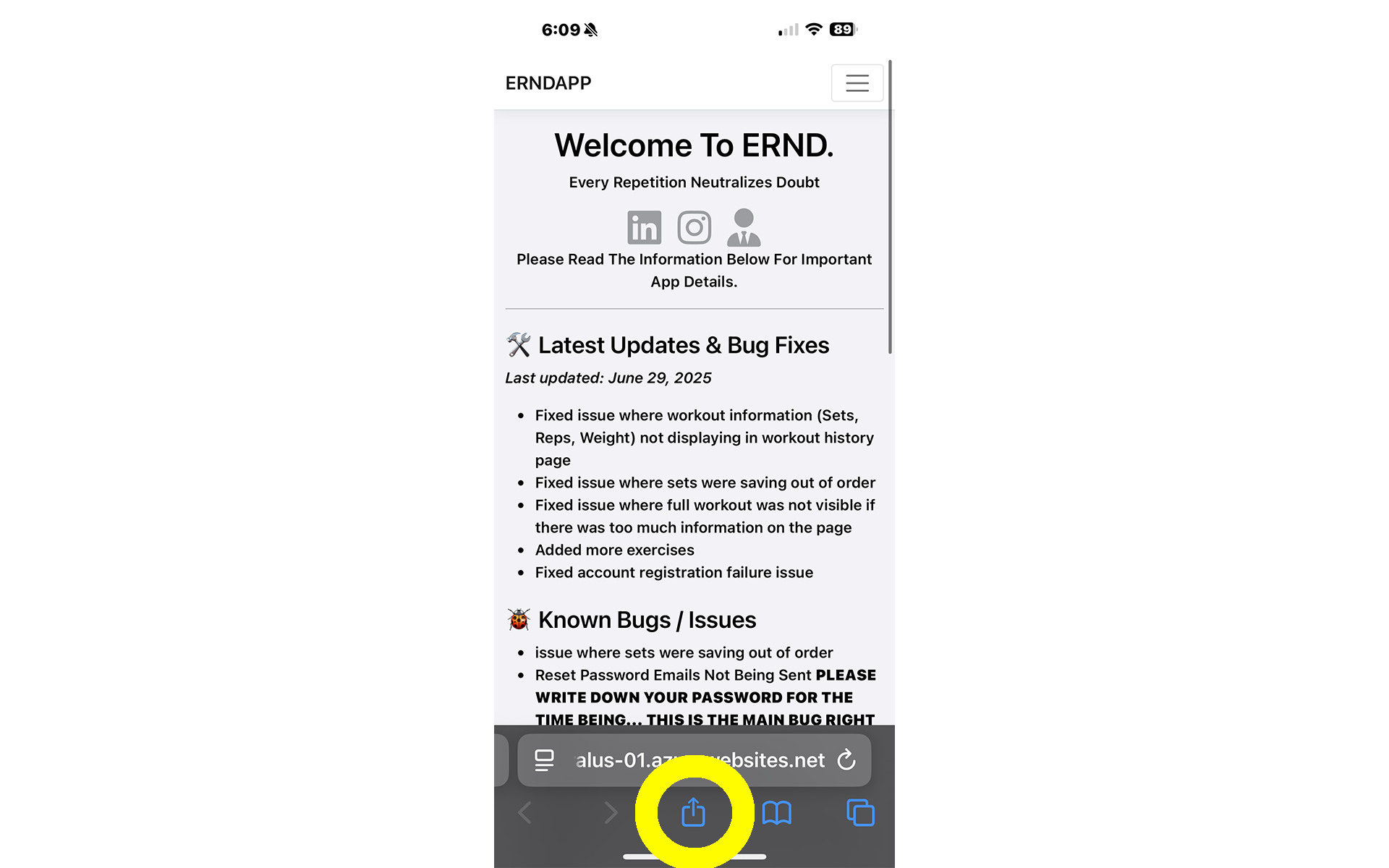
Go to the ERND site and click share button.
-
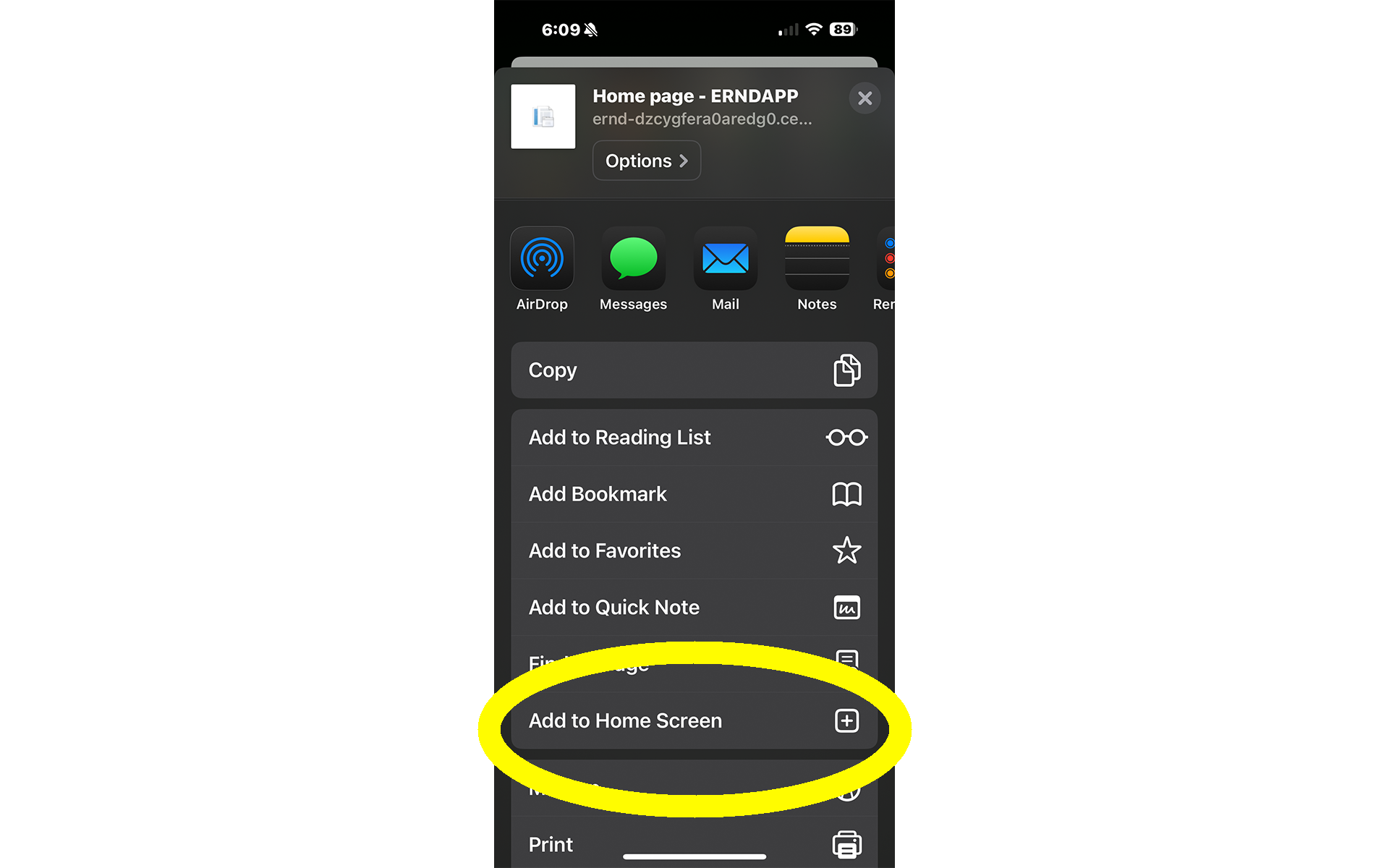
Scroll until you see "Add to Home Screen" and click "Add to Home Screen".
-
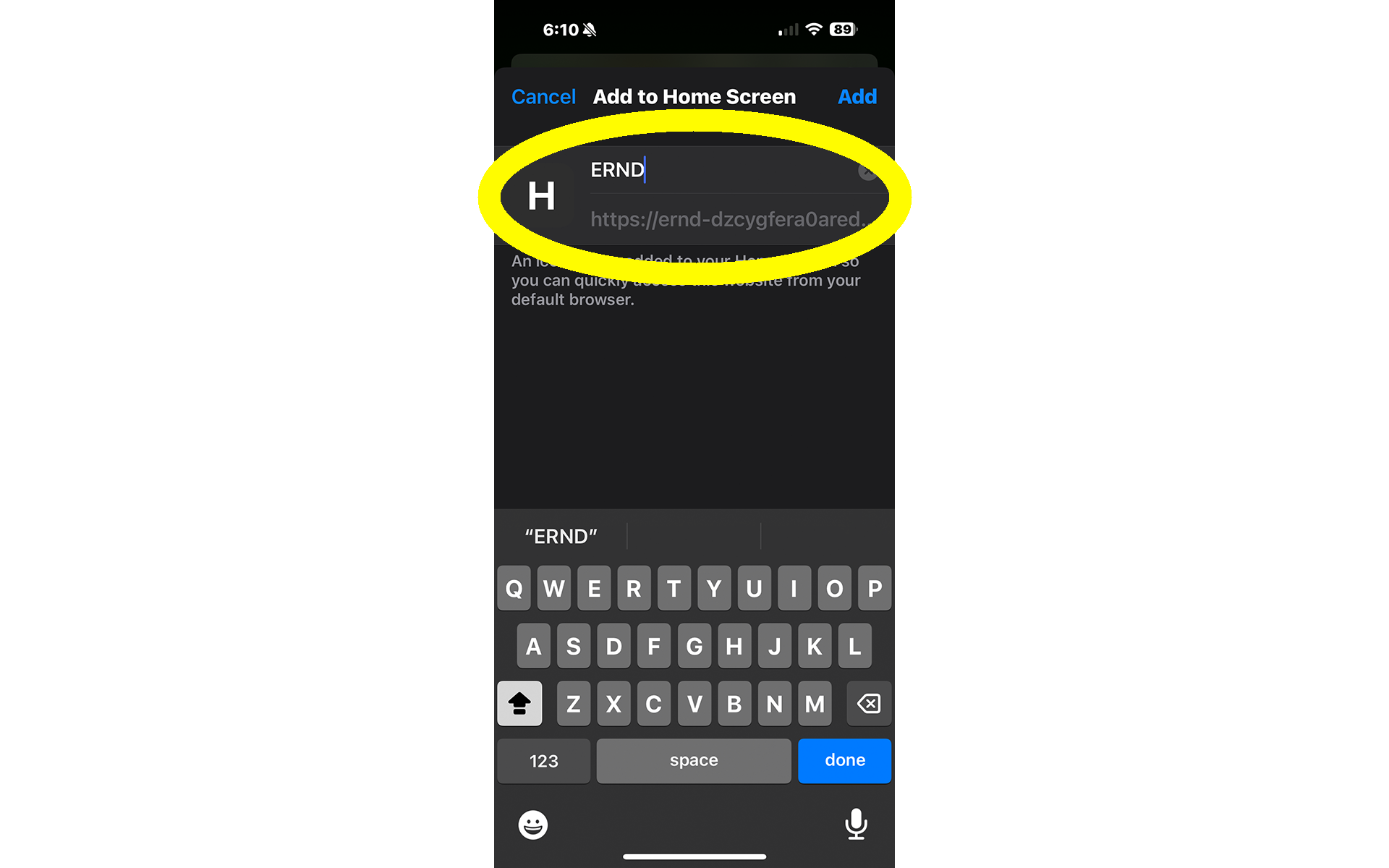
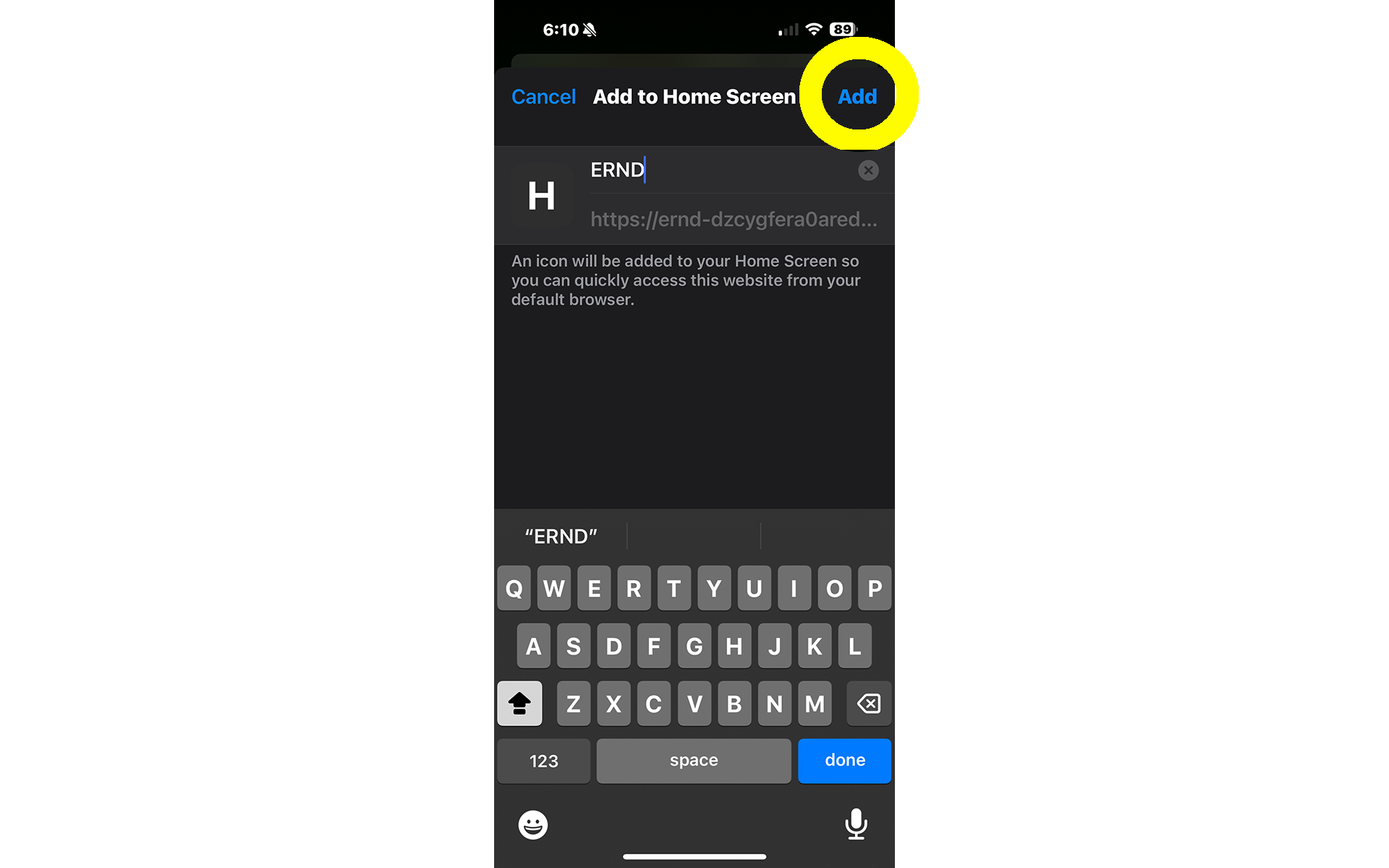
Name the app whatever you'd like (Recommended: ERND).
The site should already be filled out.
-
Click "Add" at the top right to install to your device.
-
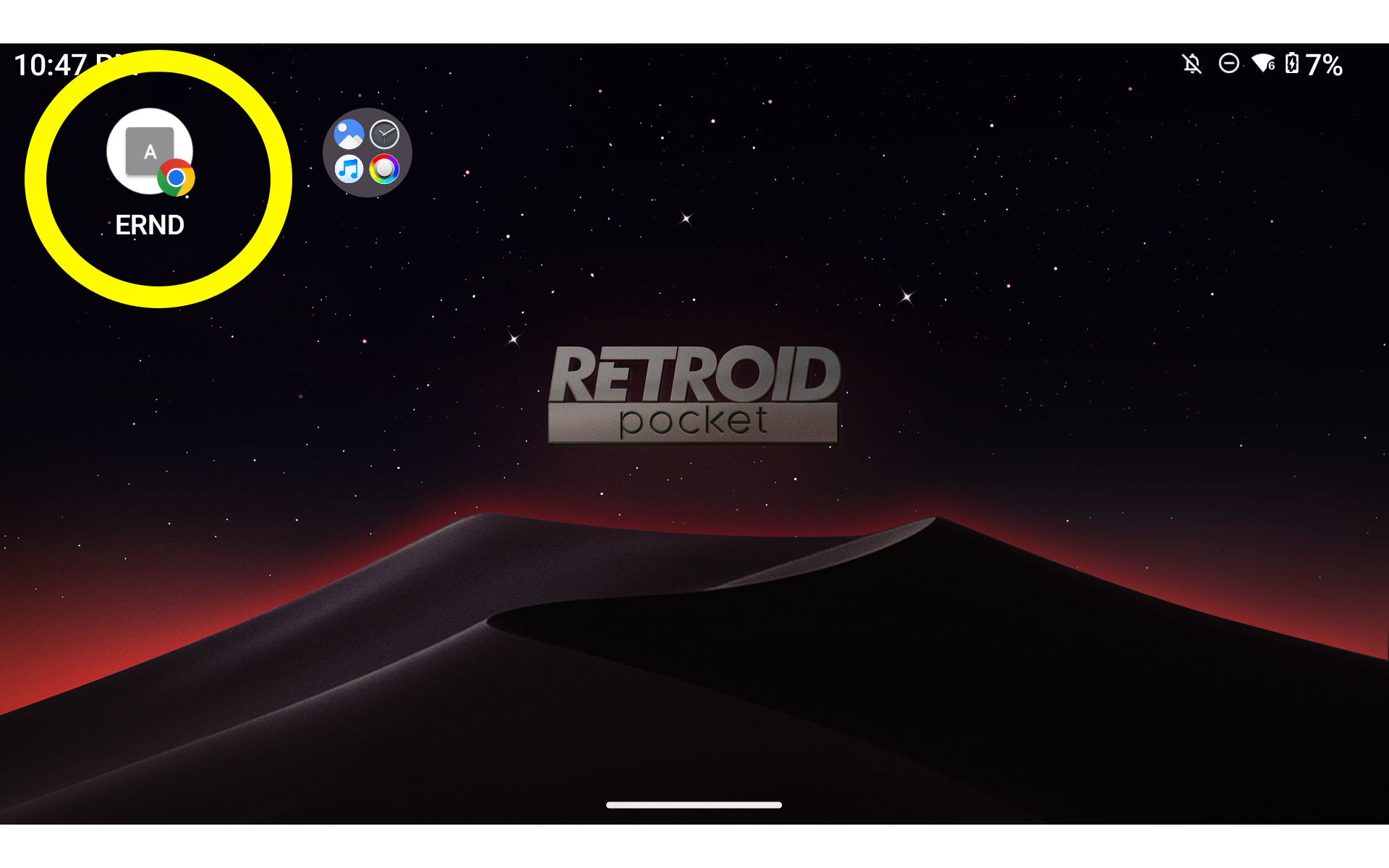
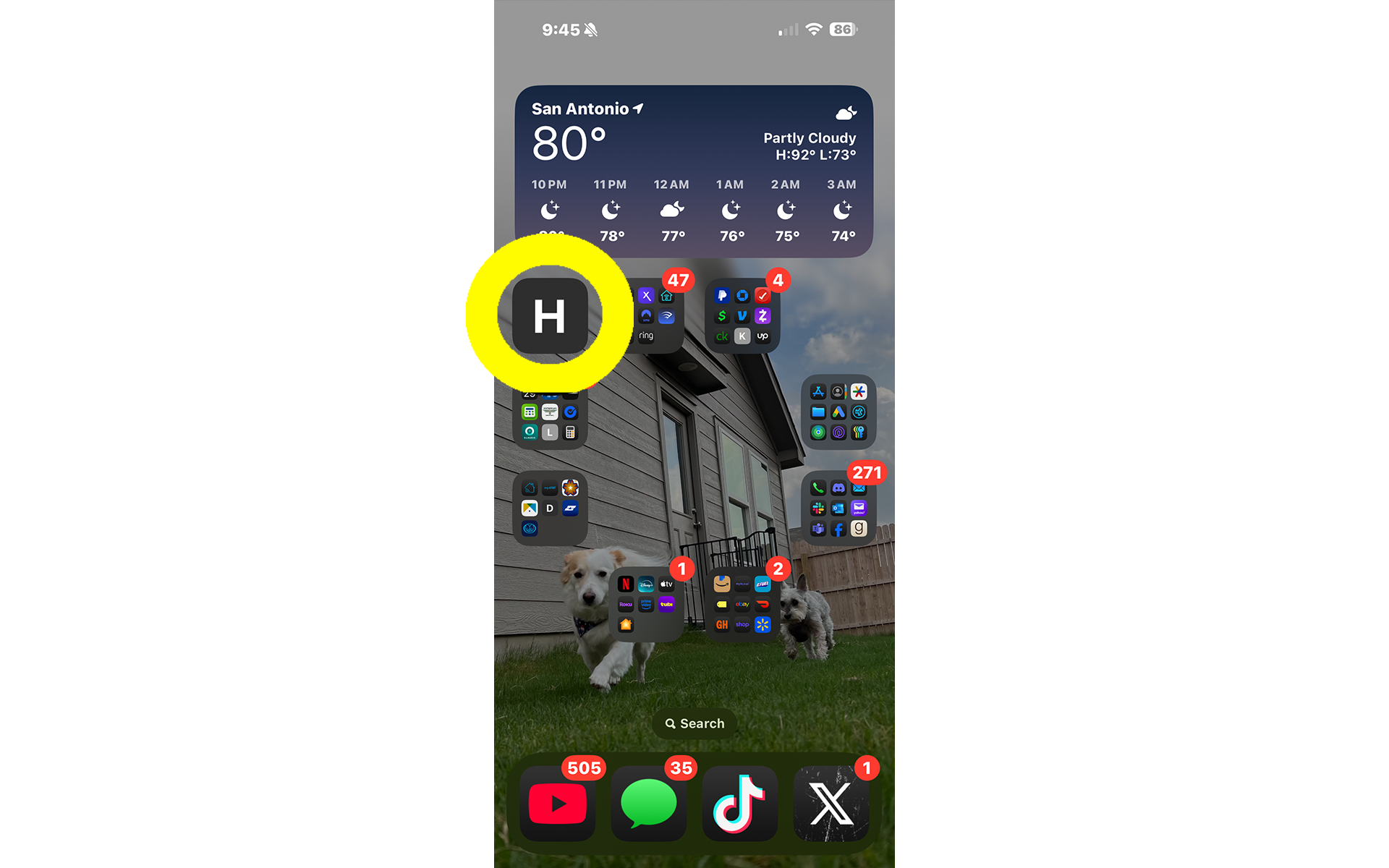
You've SUCCESSFULLY installed ERND!
If you'd like, you may move the app to your preferred spot on your home screen.
🛠 How To Install ERND
-
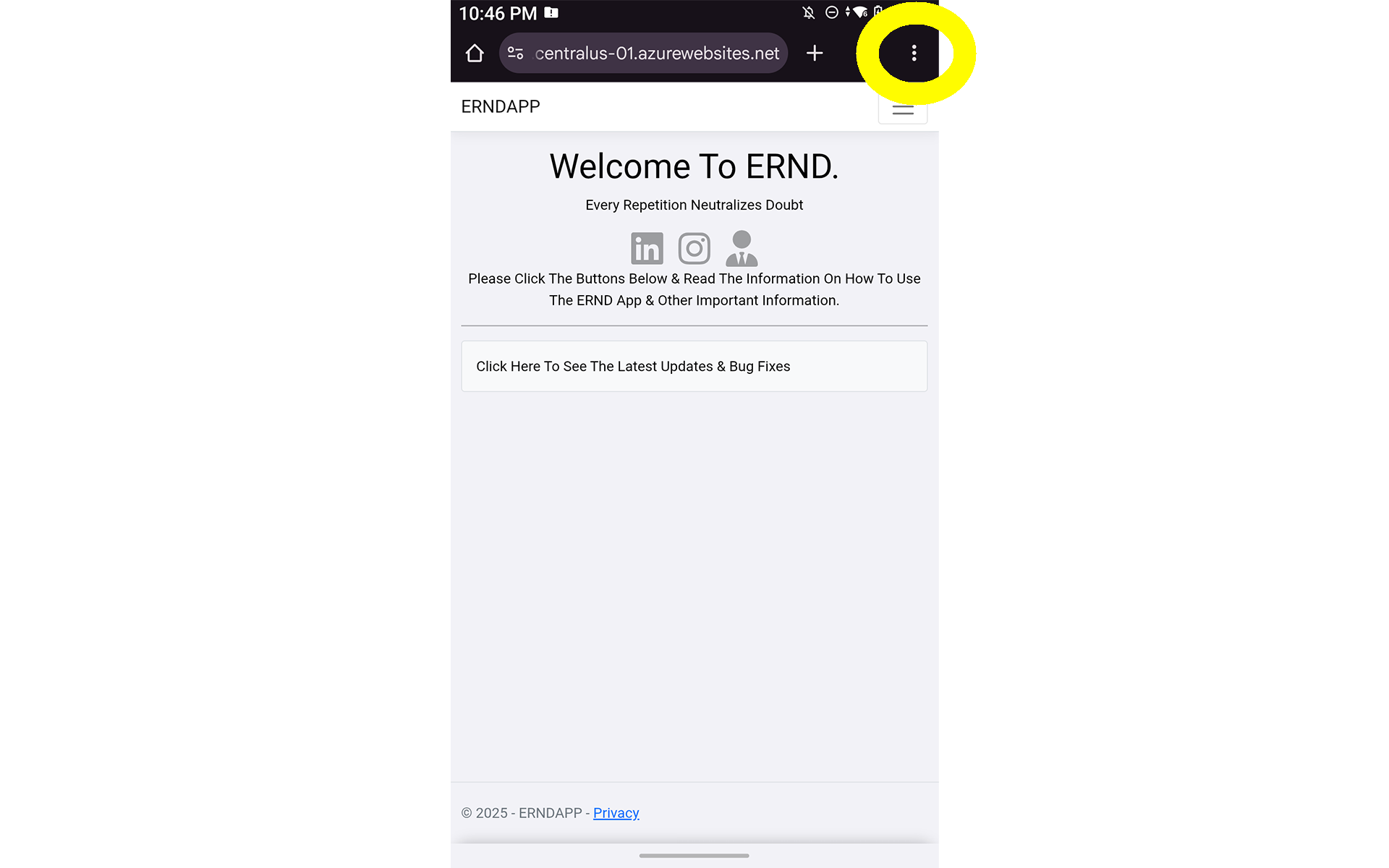
Go to the ERND site and click the vertical ellipsis (3 dots) button.
-
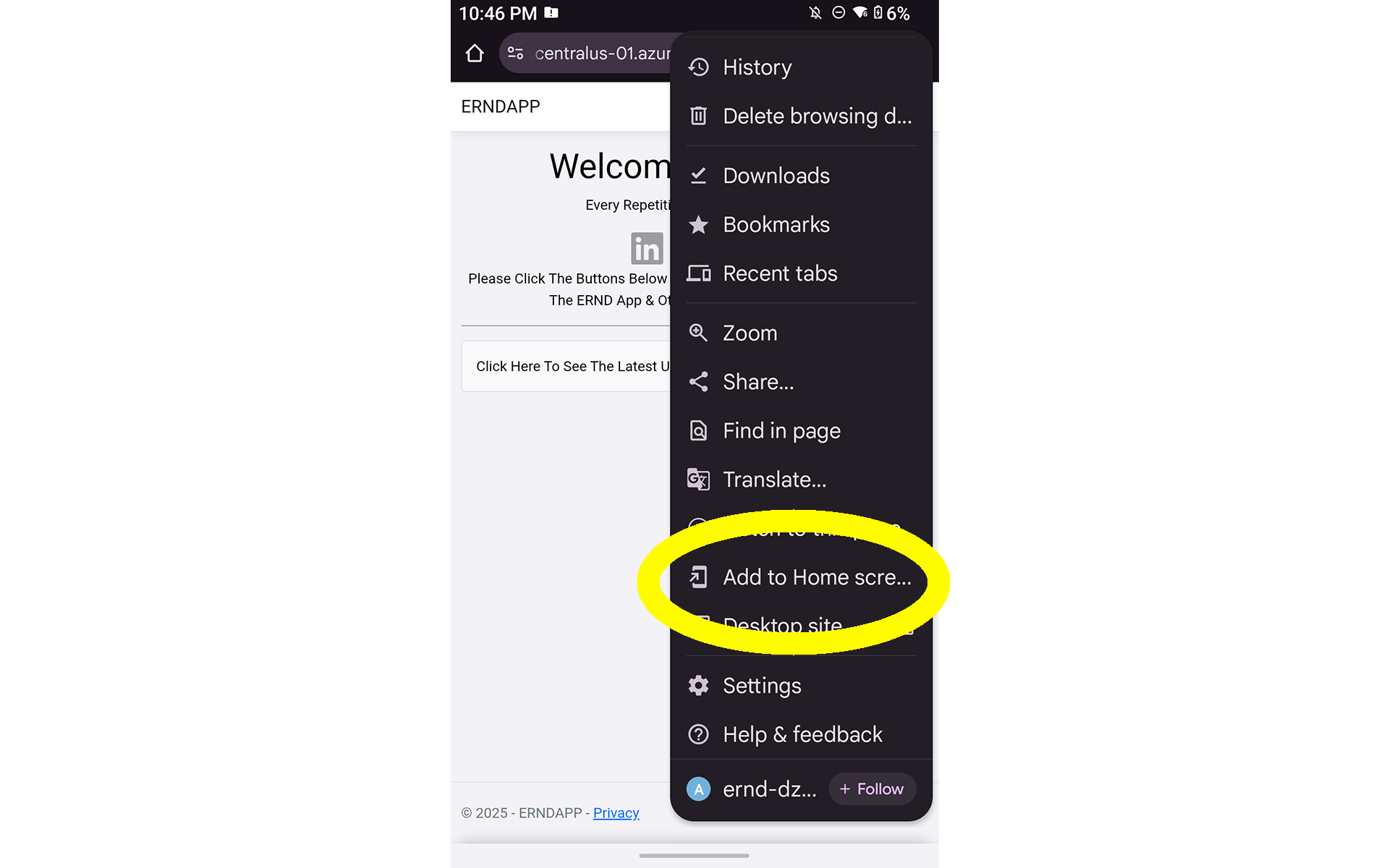
Scroll until you see "Add to Home Screen" and click "Add to Home Screen".
-
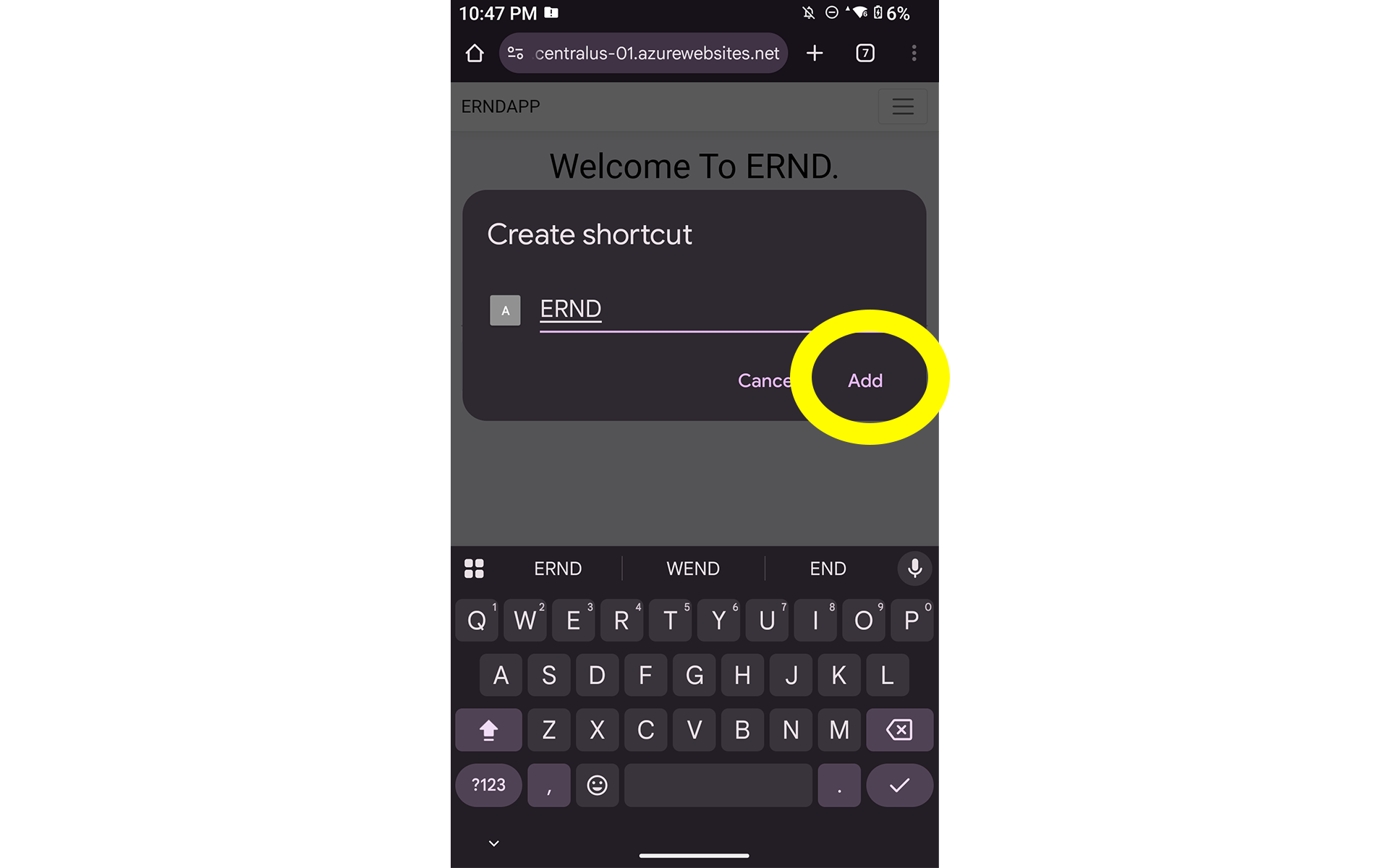
Name the app whatever you'd like (Recommended: ERND).
Click "Add" once finished.
-
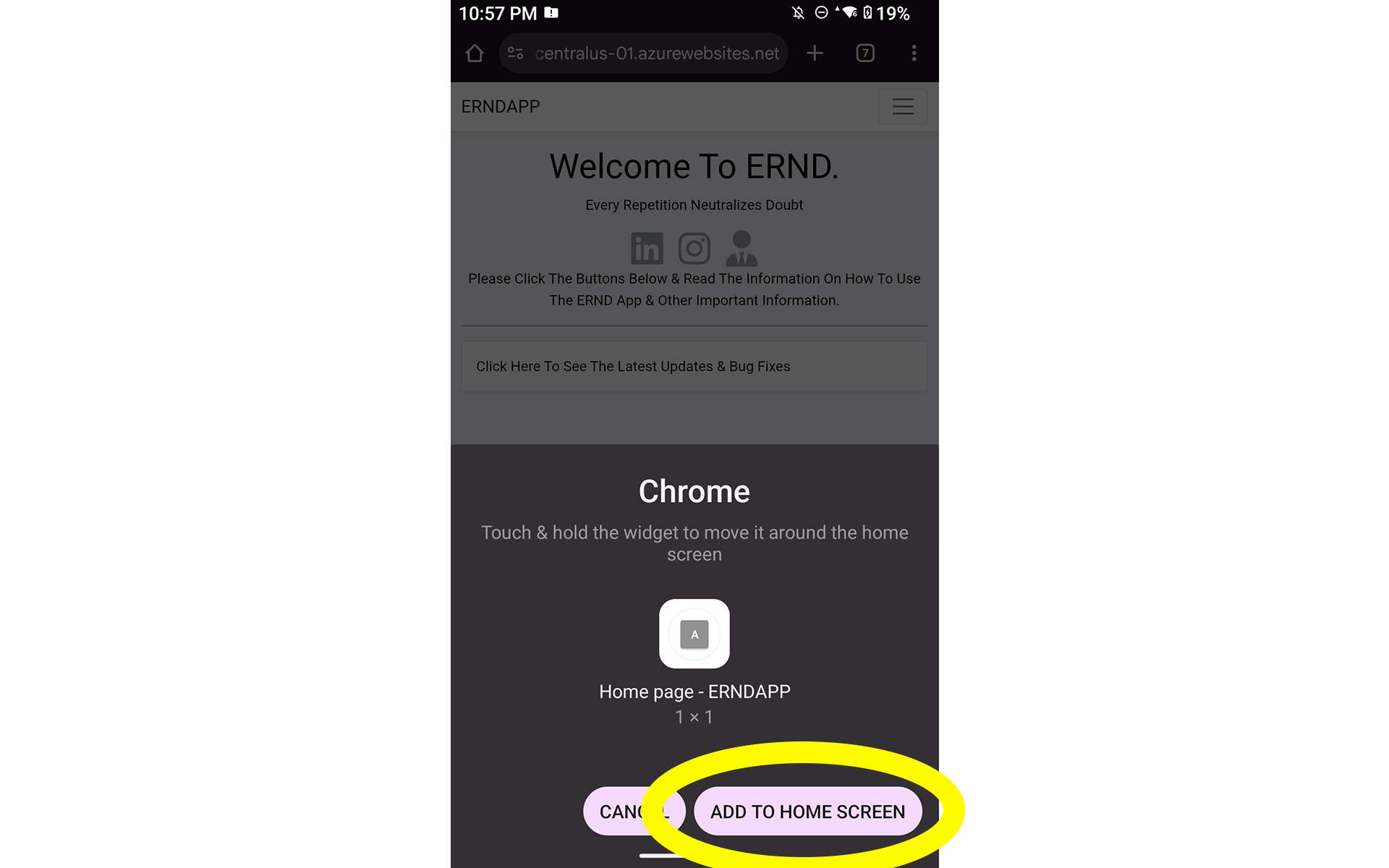
Click "ADD TO HOME SCREEN" to install ERND to your device.
-
You've SUCCESSFULLY installed ERND!
If you'd like, you may move the app to your preferred spot on your home screen.